# Why I Always Recommend Connecting Your Tracking Pixels Through Google Tag Manager (And Why Your Marketing Data Might Be Misleading)
If you ask me what the most overlooked part of digital marketing is, my answer is almost always the same:
**Tracking.**
It's surprising how many businesses spend hours optimizing their ads, testing audiences, and increasing budgets, yet never stop to ask one simple question:
**Can I actually trust my data?**
Over the years, I've reviewed Google Tag Manager setups for businesses across different industries, and one thing keeps repeating itself:
The problem often isn't the ad.
It isn't the landing page.
It isn't even the product.
**It's the tracking.**
---
# A Situation I've Seen More Than Once
Whenever I audit a client's tracking setup, I usually hear something like:
> "Our campaigns aren't performing well."
But after spending just a few minutes inside Google Tag Manager, I often discover issues like:
- Purchase events not firing at all.
- Add to Cart events firing twice.
- Contact form submissions being counted multiple times.
- Website updates breaking half of the tracking events.
- Meta Pixel working while Google Ads receives no conversion data.
The result?
Advertising platforms optimize campaigns based on incomplete or inaccurate information.
And that usually leads to wasted budget without anyone realizing it.
---
# What Is Google Tag Manager?
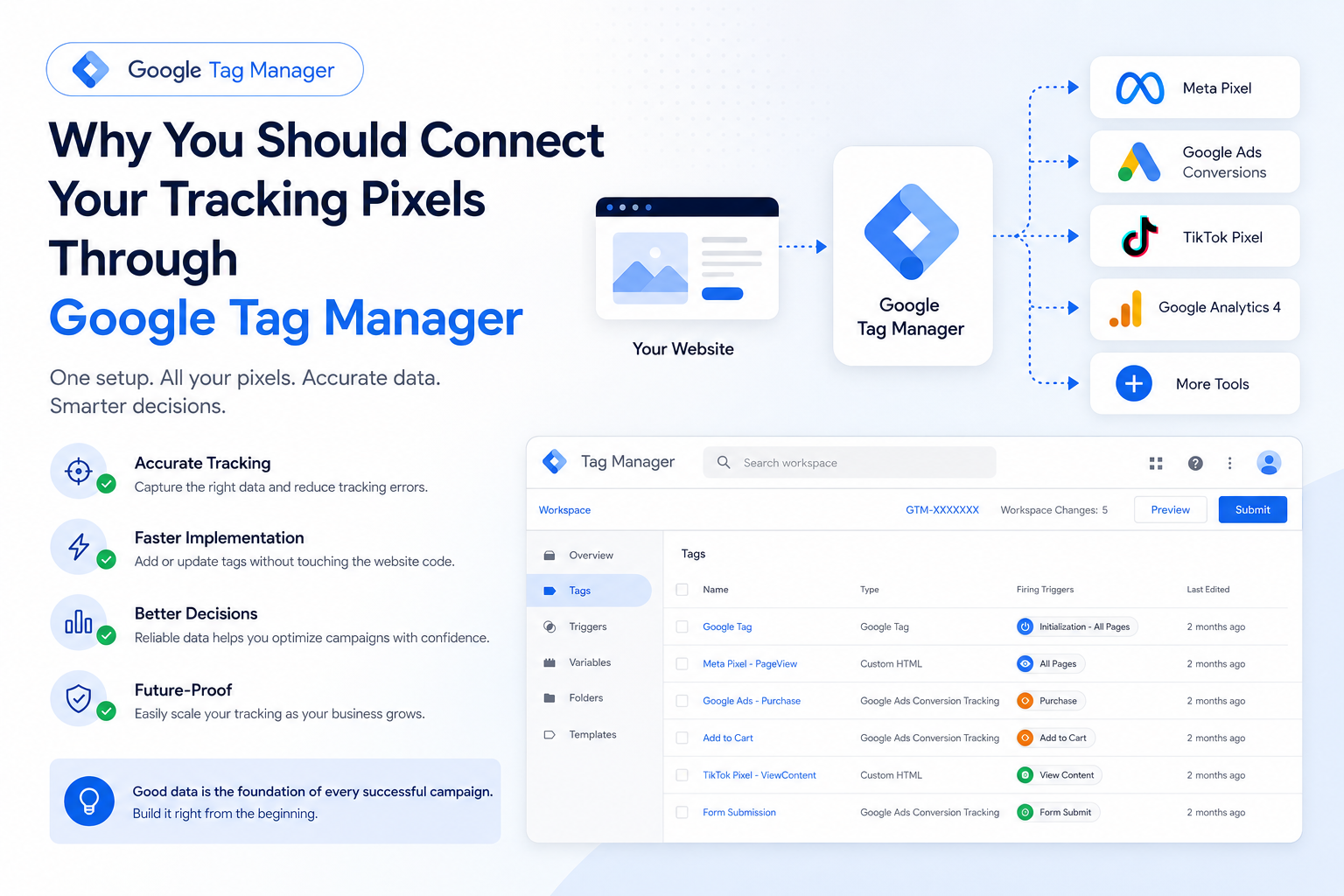
Google Tag Manager (GTM) is a tag management system that allows you to manage all your tracking codes from one place instead of adding them directly into your website's code.
With GTM, you can connect tools such as:
- Google Analytics 4
- Google Ads Conversion Tracking
- Meta Pixel
- TikTok Pixel
- Snapchat Pixel
- Microsoft Clarity
- Hotjar
...and many more.
Personally, I rarely start a new project without Google Tag Manager unless there's a very specific technical reason.
---
# Why I Prefer GTM Instead of Installing Every Pixel Manually
At first, manually installing tracking codes might seem easier.
But as your business grows, things become more complicated.
You'll eventually have:
- Multiple advertising platforms.
- Multiple analytics tools.
- Dozens of tracking events.
- Different developers working on the website.
Without a centralized system, managing all those scripts quickly becomes difficult.
Google Tag Manager keeps everything organized in one place.
---
# The Mistake That Costs Businesses Thousands
One of the biggest misconceptions I see is:
> "I've installed the Pixel, so my tracking is done."
In reality...
Installing the Pixel is probably **less than 20%** of the work.
The real questions are:
- Is the event firing correctly?
- Does it fire only once?
- Is the purchase value being sent?
- Is the correct currency included?
- Does everything still work after website updates?
- Are all advertising platforms receiving the same data?
If the answer is "No" to any of these questions, your campaigns are being optimized using unreliable data.
---
# Imagine This Scenario
Let's say your online store actually generated:
**50 purchases.**
However, because of a tracking issue...
Meta only records:
**30 purchases.**
What happens next?
You may decide to:
- Pause the campaign.
- Lower your budget.
- Change your targeting.
When in reality...
The campaign was performing well all along.
The problem wasn't the advertising.
The problem was the tracking.
---
# The Most Common Tracking Mistakes I See
After auditing many GTM accounts, these are the issues I encounter most often:
### 1. Duplicate Events
The same event fires two or three times, making reports inaccurate.
---
### 2. Purchase Events Without Revenue
The conversion is recorded...
But the purchase value isn't.
This makes ROAS calculations unreliable.
---
### 3. Website Updates Breaking Tracking
The website gets updated...
Nobody checks the tracking...
And suddenly conversions disappear.
---
### 4. Multiple Pixels for the Same Platform
Installing multiple tracking scripts often creates conflicting data.
---
### 5. Tracking Only Page Views
Instead of tracking meaningful business actions like:
- Add to Cart
- Begin Checkout
- Purchase
- Lead Form Submission
- WhatsApp Clicks
- Phone Clicks
- Newsletter Sign-ups
These events provide much more valuable insights than simple page views.
---
# How Do I Know My Tracking Is Working?
Before launching any campaign, I always ask myself:
✅ Are all events firing correctly?
✅ Does every event fire only once?
✅ Are revenue values being passed correctly?
✅ Are Google Analytics 4, Google Ads, and Meta receiving consistent data?
✅ Have I tested everything using Preview Mode and Tag Assistant?
If the answer is "No" to any of these questions...
I don't consider the tracking setup ready.
---
# My Personal Opinion
One of the biggest mistakes I see in digital marketing is launching advertising campaigns before building a reliable tracking system.
In my opinion...
Even the best advertising strategy won't perform well if the platform is learning from inaccurate data.
That's why my workflow is always:
1. Build the tracking infrastructure.
2. Test every event.
3. Validate the collected data.
4. Only then launch advertising campaigns.
---
# Final Thoughts
Successful advertising doesn't start with creative design.
It doesn't start with audience targeting.
And it certainly doesn't start with increasing the budget.
It starts with one question:
**Can you trust your data?**
If your tracking isn't accurate, every decision you make afterward becomes less reliable.
That's exactly why I recommend using **Google Tag Manager** as the central hub for managing all tracking pixels and marketing tags.
It gives you better organization, more flexibility, and most importantly...
**Confidence in your marketing data.**
---
# Learn How to Build a Professional Tracking Setup
If you'd like to learn how to:
- Set up Google Tag Manager correctly.
- Connect Meta Pixel.
- Configure Google Ads Conversion Tracking.
- Install TikTok Pixel.
- Create custom tracking events.
- Track button clicks and conversions.
- Test and validate your tracking implementation.
I've created a **free course** where I walk through the entire process step by step.
👉 **Watch the free course here:**
https://www.udemy.com/course/google-tag-manager-x/?referralCode=AAB454266A87EB9B5855